Chapter 6
Settings panes
Six panes where each row is a picklist rather than a checkbox — pick a value once, apply it to every profile in the bucket.
Session & password policies · Login hours · Login IP ranges · Record types · Tab settings · App settings
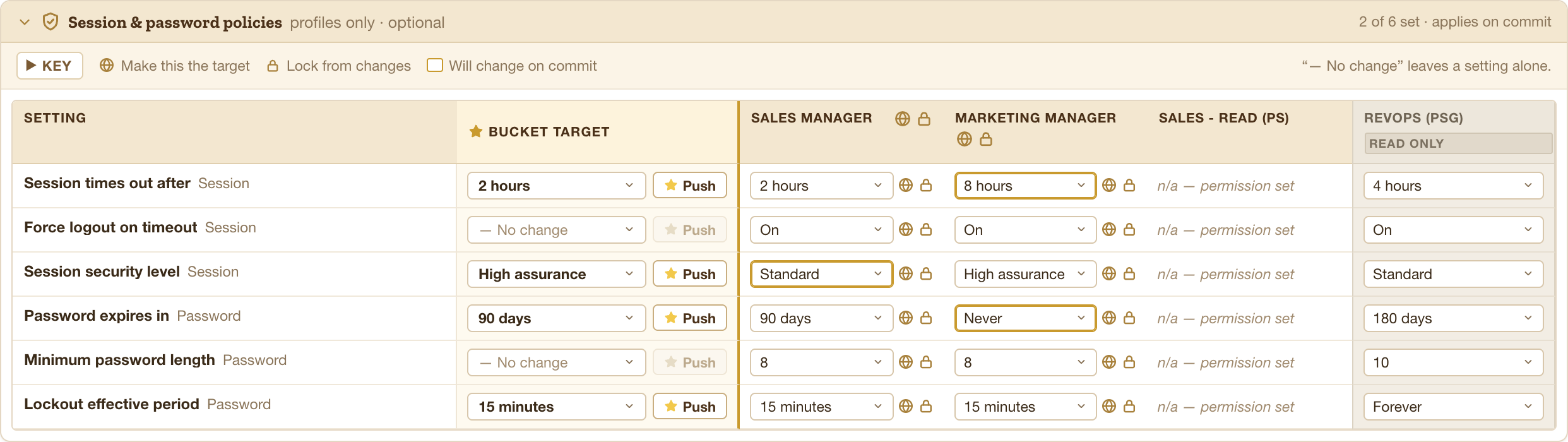
No change means no change
Every picklist starts on — No change. A row left that way is not written at all, so a pane you never touch costs nothing at commit.
That is also why Push is greyed out on those rows: there is no value to push.
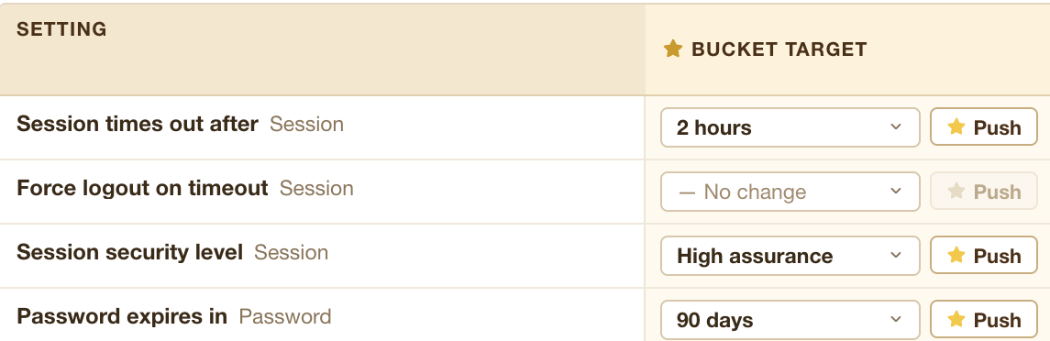
Push
Choosing a value in the target column sets the target. It does not, on its own, overwrite a container that already holds something else — you see the difference in that container’s column, ringed in gold.
Push re-asserts the target across every unlocked container in one go. Use it when you want them identical and do not care what they held before.
The container columns are editable
Same as the matrix: each column starts on that container’s real value and can be changed directly.
- The globe promotes a container’s value up to the target. Worth more here than in the access tables — a picklist value may be one you could not have guessed, and promoting is faster than reading it and retyping it.
- The lock holds a column where it is.
Read-only columns get neither control. There is nothing to promote from a column the platform will not write to.
Profiles only
Permission sets have no session policy, no password policy, no login hours, and no IP ranges. Those cells read n/a — permission set, and a bucket with no profiles in it shows an empty pane.
These panes apply on Commit to bucket, alongside the matrix — not on their own button. Session and password policies travel through the Metadata API on the same commit.